
An AI secretary for an overloaded mind

Do not organize your thoughts. That is Taksa’s job.

Write everything down at once: tasks, promises, shopping, and the things you are afraid to forget. Taksa separates the stream, files each task, and builds a realistic day.

Free forever · 7 days of Pro by your choice, with no card or charge

Live sorting
As it arrived
After sorting
Today — 6 of 6by Ivy Lee

Everything else is saved — nothing is lost.

1 streamno folders or labels up front
up to 6important tasks for a realistic day
$0Free stays free forever

Not another to-do app

Capture first. Organize later.

A classic to-do list asks for a project, label, and priority before a thought is even safe. Taksa starts sorting only after your head is clear.

One thought’s route
  1. 1
    Unload it as it comes

    One stream, with no perfect wording and no folders to choose first.

  2. 2
    Taksa keeps the details

    AI separates tasks, recognizes dates and repeats, and suggests the right folders.

  3. 3
    Get up to six tasks

    Chosen for today’s context and ordered by what is genuinely worth doing next.

Two constraints instead of willpower

A day you can actually finish

Taksa does not schedule every minute. It limits the day and helps you stay with one next action.

6

Six tasks, not an endless list

The Ivy Lee method turns a backlog into a short queue. If there are fewer than six useful tasks, Taksa does not pad the day.

  1. Choose up to six important tasks.
  2. Put them in priority order.
  3. Finish the first before moving on.
  4. Carry unfinished work into the next day.
25 minutes

One task in focus

The built-in timer helps you start: one focused interval, a short break, and no hopping between tasks.

A clear model

Free catches the chaos. Pro turns it into a system.

Taksa’s core magic stays in the free plan. Pro adds tools for a lasting routine and removes the monthly AI limit.

A complete start

Free forever

$0
  • Thought stream → separate tasks and folders
  • An Ivy Lee day: up to six tasks in order
  • 60 core AI actions per month
  • Notifications and daily or weekly repeats
  • Folders, contexts, and dates
When you need a system

Everything for a lasting routine

Pro

Everything in Free, plus:

  • AI without a monthly limit
  • Google, Outlook, Yandex, and Apple Calendar — read-only
  • Monthly and yearly repeats
  • Notes directly on tasks
  • for work handed to someone else
  • A focus timer
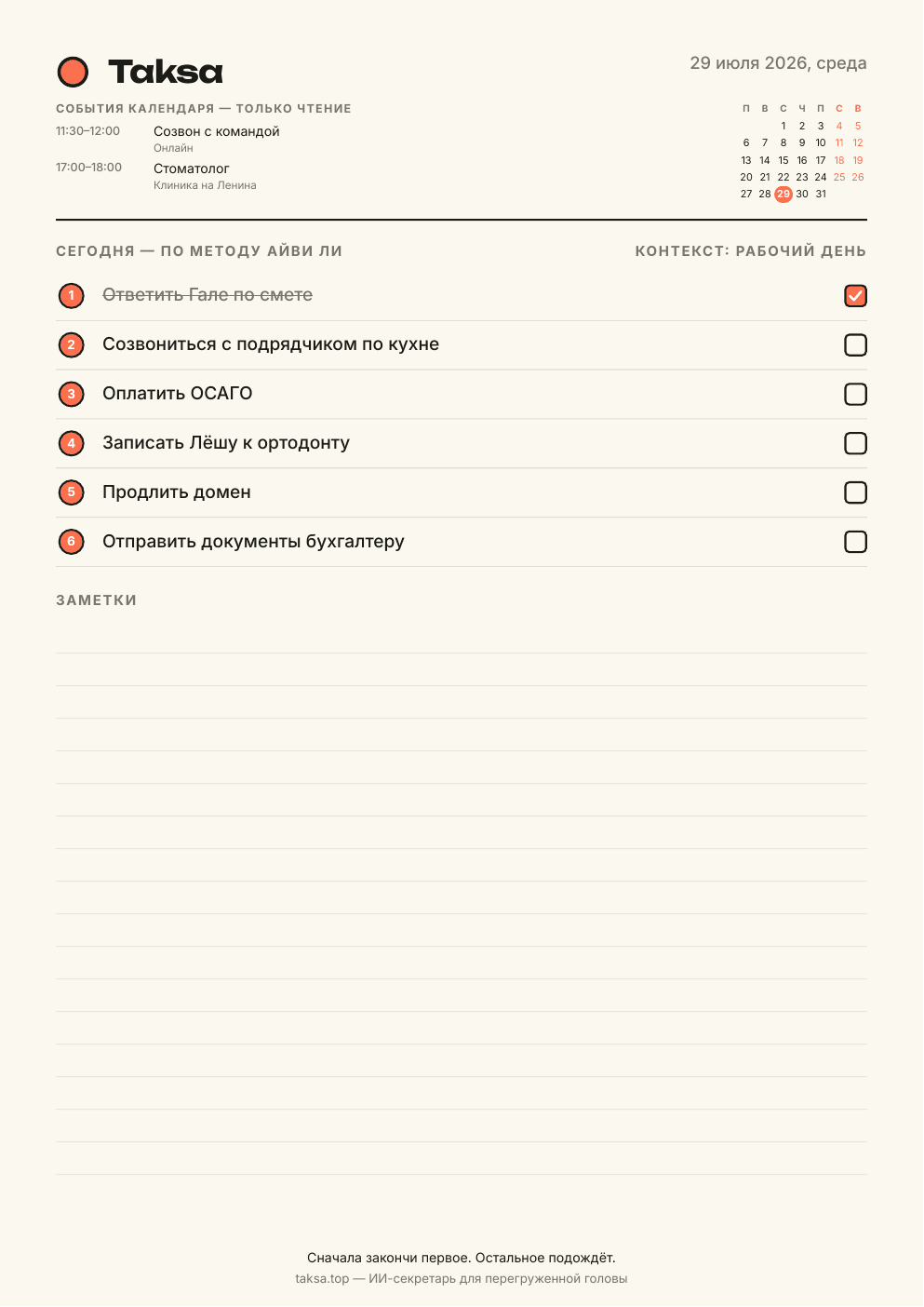
  • A printable PDF day planner

Full pricing

Choose a term once Taksa is helping

Start by deliberately unlocking all Pro features for seven days. No card is required and the trial does not turn into an automatic charge.

No card, no chargeTake 7 days of Pro
all featuresno card neededno auto-charge
Unlock 7 days →

International card payments are not available yet. You can still use Free and activate the seven-day Pro trial without a card.

No fine print

The important answers before you start

What stays free, how the trial works, and where tasks go when they do not make today’s list.

Does Free really stay free forever?

Yes. Free keeps stream sorting, day building, and 60 core AI actions per month. No payment details are required.

Will Pro start or renew by itself?

No. The seven-day Pro trial starts only when you choose it. No card is required and there is no automatic charge.

Can Taksa change my calendar?

No. Google, Outlook, Yandex, and Apple Calendar integrations are read-only.

What happens to tasks outside the six?

They stay in your full list. Taksa does not delete them and can suggest them again the next day.

How do I install Taksa on my phone?

On iPhone, open taksa.top in Safari, tap Share, then Add to Home Screen. On Android, open the site in Chrome, tap the ⋮ menu, then Install app or Add to Home screen. A separate Android APK is also available.

How is Taksa different from a classic to-do app?

A classic to-do app asks you to choose a project, folder, and priority first. With Taksa, you unload one stream of thoughts: AI separates the tasks, keeps the details, and suggests up to six for the day.

On screen and on paper

One day, in the format that fits

Install Taksa like an app or print a ready day plan. PWA installs from the browser; an APK is available for Android.

✓ Added to the Home ScreenInstalled Taksa opens without a browser address bar, just like a regular app.
Sample Taksa PDF day planner with six tasks, calendar events, and notesPro · PDFYour day on paperSix tasks, calendar events, and room for notes on one A4 page.Download sample PDF ↓
PWA
PWA from the browser
Open the site, add it to your home screen, and use it like an app.
Open sign in
APK
APK for Android
Download the file and install it over the current version when Taksa offers an update.
Download APK

You do not have to hold it all

Your head does not need to be a dispatch desk.

Unload your first stream and see the calm, doable day Taksa builds from it.

Start for free No card · Free forever